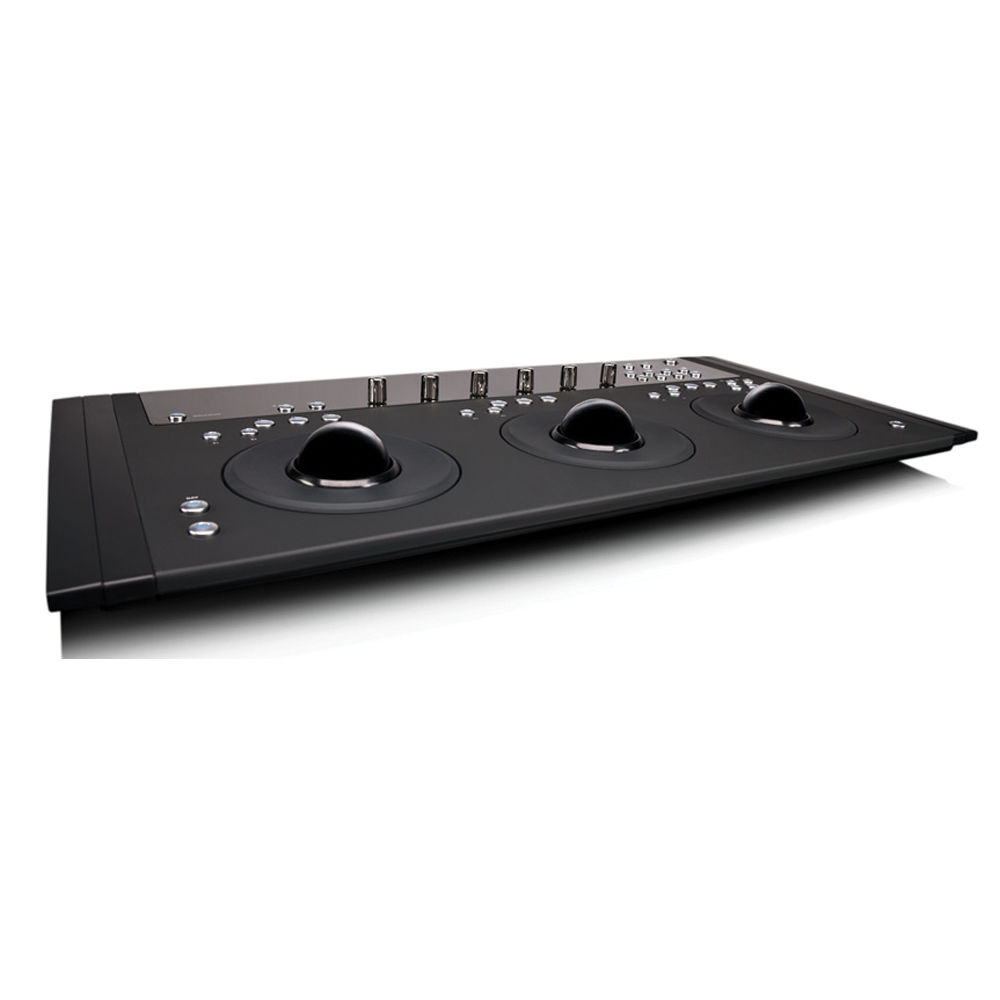
























































































































































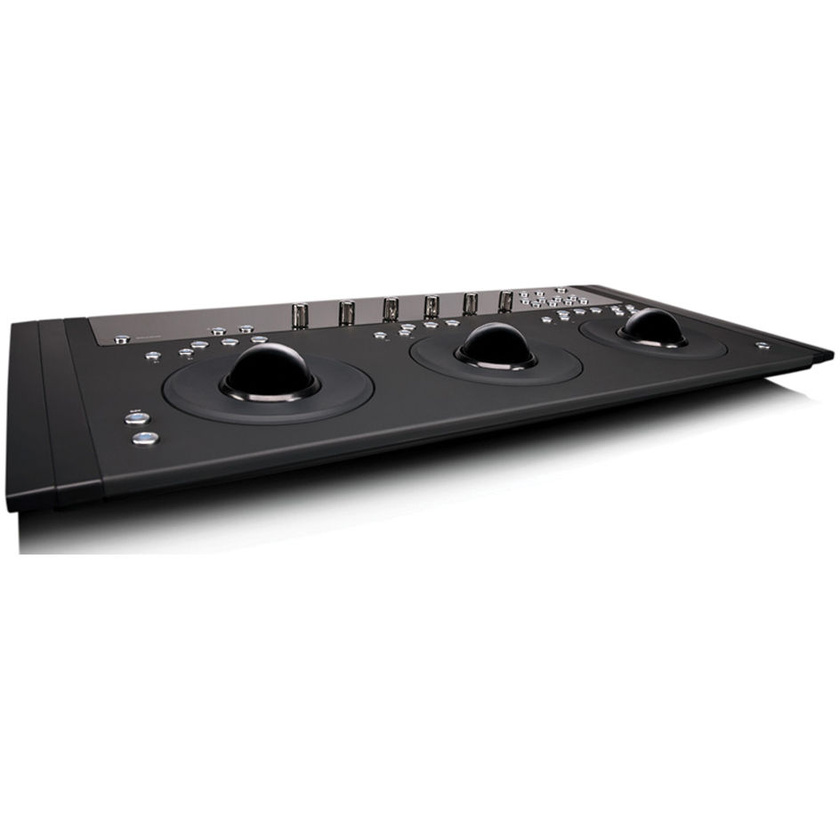
The Artist Colour from Avid is a compact colour correction panel. The panel's three trackballs and three trackwheels, are high-resolution and optically encoded. There are also six rotary encoders for additional settings for up to four different colour correction grades at one time, using individual buttons to copy and paste. Additionally there are nine programmable soft keys which can be assigned two functions each. The Integrated OLED display updates automatically with the chosen application, displaying parameter names and values.
The Artist Colour control surface utilises EUCON protocols over Ethernet for communicating with software for project, programme, or workstation navigation. The functionality of Artist Colour depends on how deeply the application incorporates EUCON protocols. The Artist Colour control surface can be combined with other control surfaces in the Artist series for additional controls, and the modular design allows you to customise your control panel layout.
Features
EUCON
Eucon is an advanced protocol to communicate with software over an Ethernet connection at over 250x the speed of MIDI. The basic functionality of the Artist Colour control surface can be expanded upon depending on the depth of EUCON utilisation by the software being controlled.
Note: See Specifications for information on software version compatibility with EUCON Protocols.
Trackballs and Softwheels
The three trackballs are optically encoded for precision and the sensitivity can be adjusted. The trackballs control hue, saturation and brightness for shadow, midtone, and highlight. Engaging the use of Soft Keys allows further functionality depending on the capabilities of the grading software you are using.
Trackwheels and Soft Keys
The three trackwheels sit at the base of the trackballs and operate independently from the trackballs. They are optically encoded for precision and the sensitivity can be adjusted. The trackwheels are used in conjunction with the trackballs to control the contrast of the hue, saturation and brightness for shadow, midtone, and highlight. Engaging the use of Soft Keys allows further functionality depending on the capabilities of the grading software you are using.
Rotary Encoder Knobs and Page Buttons
The rotary encoder knobs are dual function knobs, they can be rotated or pressed like a switch. Rotating adjusts the displayed parameters. Pressing the knob allows you to clear colour parameters, select specific secondary operations, or even navigate to control operations at a different workstation.
The Page buttons work with the 6 rotary knobs and if supported by the specific application allow for assigning additional "pages" of controllable parameters that can then be "paged" through - forward or back.
Copy/Paste Grade Buttons
If supported by the application software four discrete buttons are provided to copy and store four different colour correction settings (grades), one grade stored per button. Four discrete paste buttons are used to select and apply the selected grade.
Customisable
The Artist Colour comes with 9 programmable soft keys, using the SHIFT key allows for assigning a second function to the 9 programmable soft keys for a total of 18 programmable functions.
HUI and Mackie Control Protocol
The Artist Transport supports HUI and Mackie Control Protocols over its Ethernet connection for legacy software applications that don't support Eucon.
Note: Not all Eucon functionality may be available using HUI and Mackie Control Protocols.