






















































































































































7 Fundamental Tips for Using Your Wacom Tablet
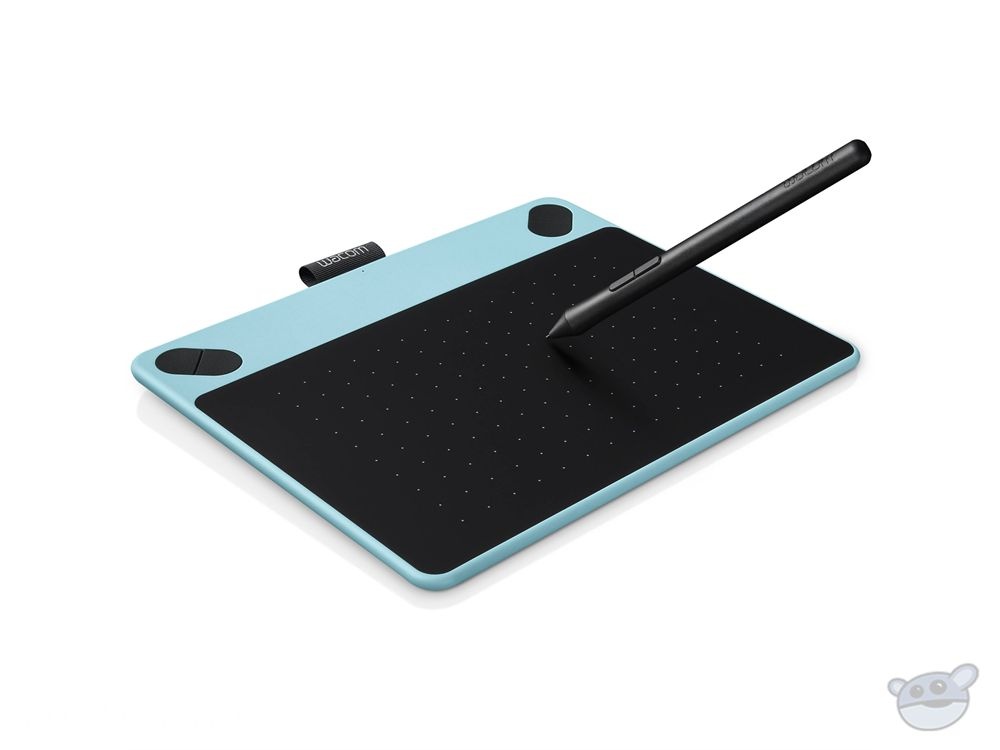
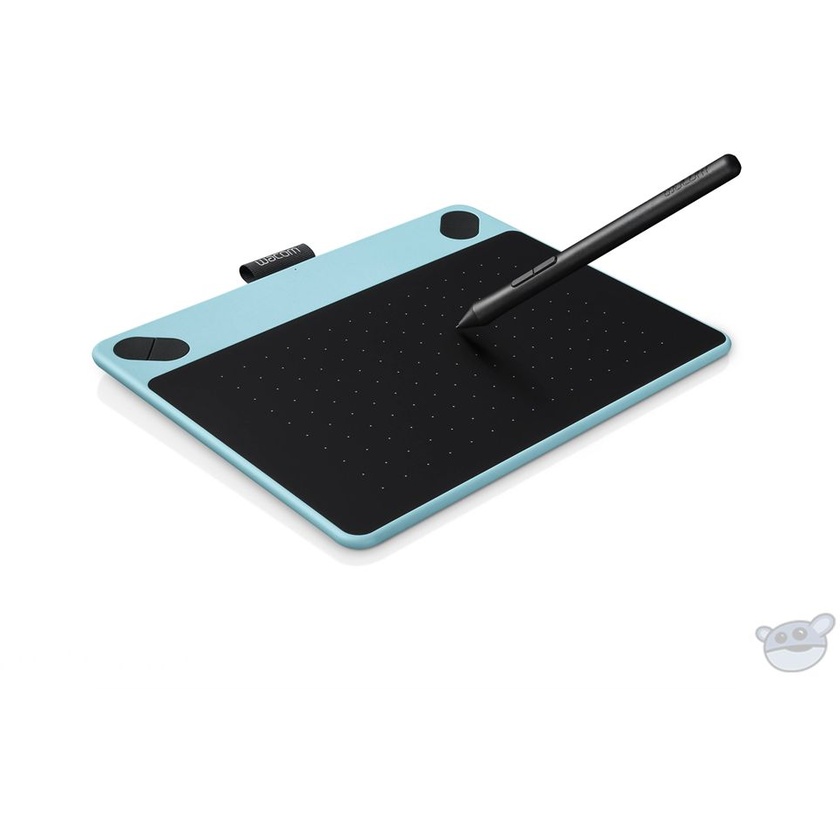
Create your own digital comics, manga, and animation with the mint blue Intuos Comic Pen & Touch Small Tablet . Sketch and ink frames with the easy-to-use pen tablet. Improve your work with digital editing and effects. Make layouts for a page or a book. Intuos Comic comes with a free Comic Pack, which includes Clip Studio Paint Pro and Anime Studio downloadable software, online tutorials, and 10 free comic book copies with the purchase of 25 copies.
Features
Features
- Sketch, ink, and colour frames using a pressure-sensitive pen and tablet
- Replaces your mouse and turns your computer into a digital drawing canvas
- Battery-free, pressure sensitive pen helps you to draw thicker and thinner lines depending on how hard you push on the pen
- Use your fingers to navigate, scroll, and zoom your artwork with multi-touch gestures
- Comes with a free Comic Pack including: Clip Studio Paint Pro and Anime Studio downloadable software, online tutorials, and 10 free comic book copies with purchase of 25 copies
- Four customisable ExpressKeys that put your favourite shortcuts like undo or copy/paste at your fingertips
- Connects to Mac or PC and works with any software programme
- The small compact size is for limited desktop areas and can be setup for both left and right handed use
Specifications
| Active Area | 6.0 x 3.7" / 15.2 x 9.4 cm |
| Pressure Levels | 1,024 |
| Resolution | 2,540 lpi |
| Connectivity | USB or RF wireless (Up to 30 hours, wireless accessory kit sold separately) |
| Buttons | 4 x application-specific ExpressKeys |
| Multi-Touch | Yes |
| Operating System Requirements | Windows 7, 8, 10 Mac Mac OS X 10.8.5 Mountain Lion or later |
| System Requirements | USB port, Internet connection |
| Dimensions | 8.3 x 6.7" / 21.1 x 17.0 cm |
| Weight | Not specified by manufacturer |