

















































































































































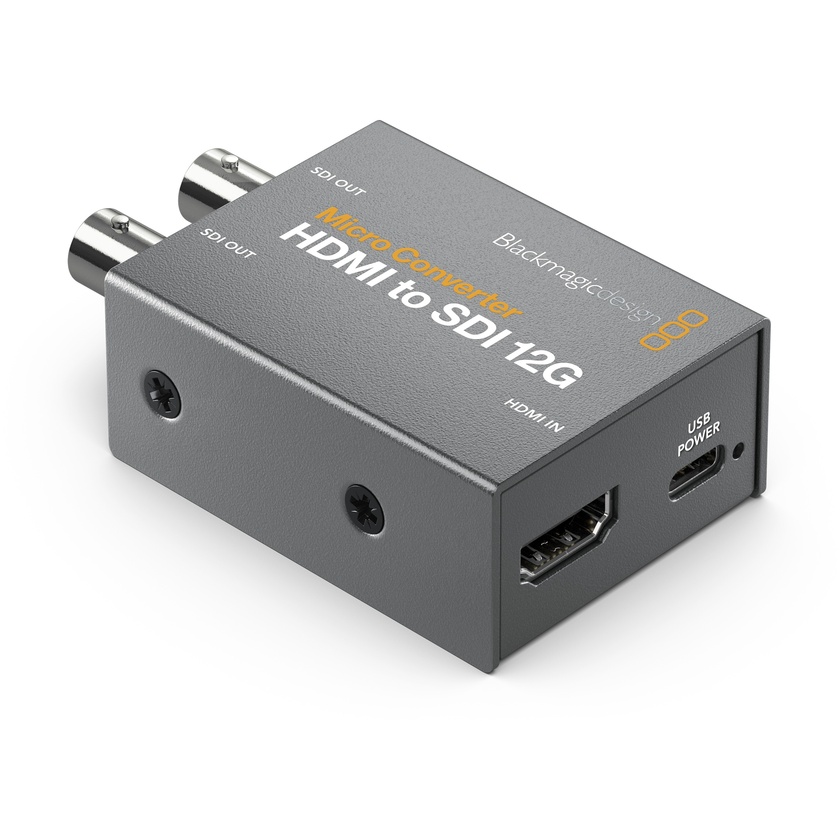



Blackmagic Micro Converter HDMI to SDI 12G with Power Supply

Product #91726 | SKU CONVCMIC/HS12G/WPSU | Blackmagic
In Stock with Supplier Usually ships in 2 - 3 working days what does this mean?
SAVE 5%
Sale Price $189 AUD
was $199.00
In Stock with Supplier Usually ships in 2 - 3 working days what does this mean?
YOU SAVE 5%
- +
ON SALE in Sales & Promotions while stock lasts

Email me when stock arrives

Shipping & Availability
Usually ships in 2 - 3 working days. Deliver to New South Wales for $4.90 Change location
Click & Collect Availability
Sydney Out of stock. Pickup in 2 - 3 working days
Click & Collect

Features

  • 1 x HDMI Input, 2 x 12G-SDI Outputs
  • Selectable SD/HD Level A/B SDI Ports
  • Supports up to DCI 4K60 Resolution I/O
  • SDI Re-Clocking, HDMI Copy Protection
  • Automatic Input Signal Detection
  • Compact, Rugged Design

Description

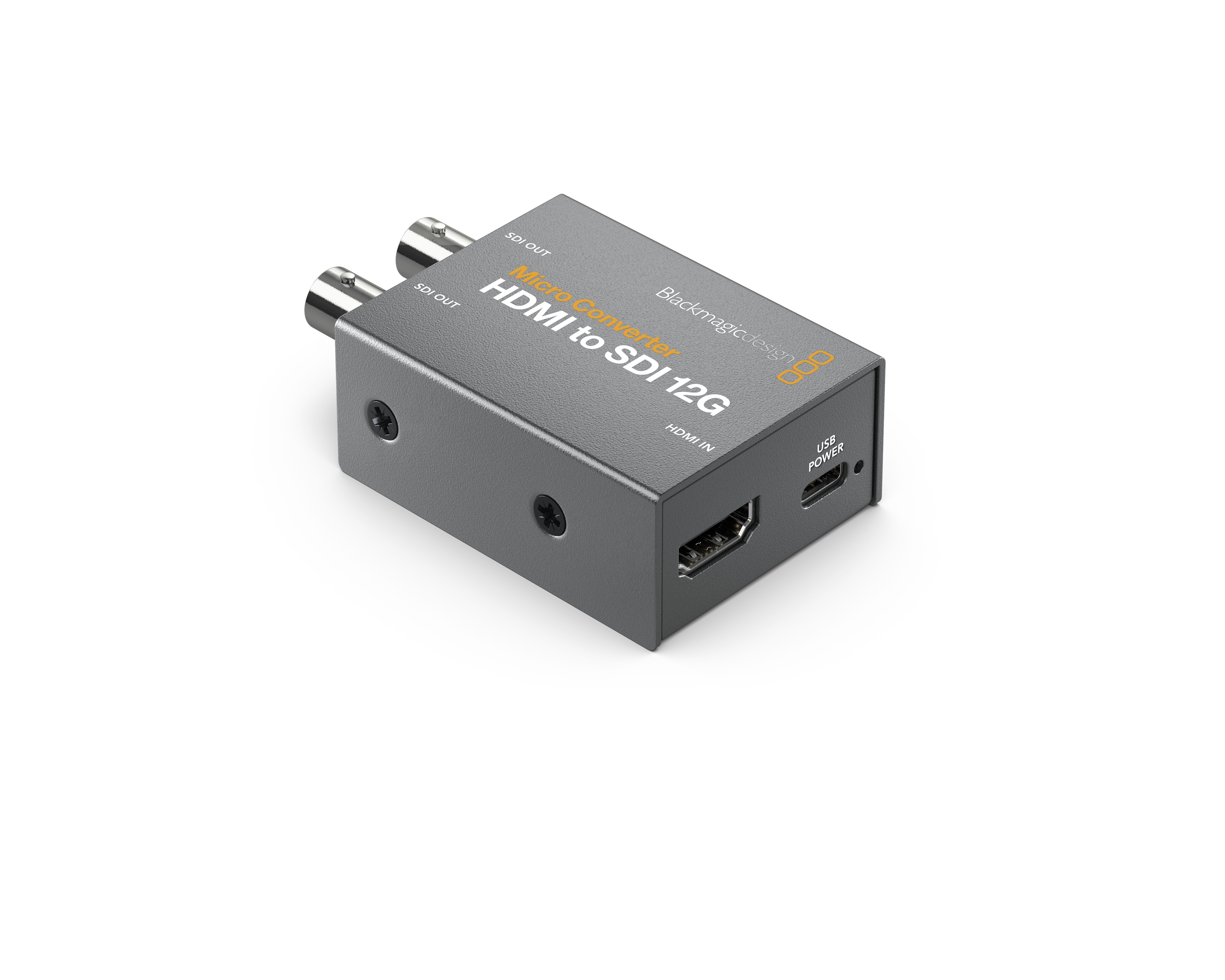
Super compact and durable, the Blackmagic Micro Converter HDMI to SDI 12G with Power Supply allows you to connect HDMI cameras or computers to professional SDI (BNC) monitors or components. Additionally, you can use multiple units to extend HDMI signals over long distances using an SDI cable. This compact converter offers one HDMI input and two 12G-SDI outputs, which can be set to Level A or B if you use 3G-SDI. It automatically detects and matches the HDMI input to the SDI output and supports input/output resolutions up to DCI/UHD 4K60.

The pocket-sized Micro Convertor HDMI to SDI 12G incorporates HDMI timecode support and SDI re-clocking for stable performance over long cable runs. It also provides HDMI copy protection and supports a wide range of professional broadcast resolutions, including cine-style 48 fps. The converter is housed in a durable metal casing and features power and signal LED status indicators, as well as rugged connector interfaces. With its USB Type-C port, the HDMI to SDI 12G converter can easily connect to and be powered by adapters, monitors, laptops, or desktop computers. It also allows for firmware updates from a Windows or macOS computer. The converter comes with a 5V power supply and an international plug adapter set.
Specifications

Inputs / Outputs
Video Inputs 1x HDMI (2.0) Female
Audio Inputs No
Video Outputs 2x BNC (12G-SDI) Female
Audio Outputs No
Other I/O 1x USB-C Control, Service Input
Expansion Slots No
Format Support
Input Video Format HDMI (8/10-Bit 4:2:2 RGB, YUV)
DCI 4K at 23.98/24/25/29.97/30/47.95/48/50/59.94/60 fps
UHD 4K 24/25/29.97/30/47.95/48/50/59.94/60 fps
1080p 23.98/24/25/29.97/30/47.95/48/50/59.94/60 fps
1080i 50/59.94/60 fps
720p 50/59.94/60 fps
480i / 525 lines 29.97 fps
576i / 625 lines 25 fps
Output Video Format SDI (8/10-Bit 4:2:2 RGB, YUV)
DCI 4K at 23.98/24/25/29.97/30/47.95/48/50/59.94/60 fps
UHD 4K 23.98/24/25/29.97/30/47.95/48/50/59.94/60 fps
DCI 2K 23.98/24/25/29.97/30/47.95/48/50/59.94/60 fps
1080p 23.98/24/25/29.97/30/47.95/48/50/59.94/60 fps
1080PsF 25/29.97/30 fps
1080i 50/59.94/60 fps
720p 50/59.94/60 fps
480i / 525 lines 29.97 fps
576i / 625 lines 25 fps
Embedded Audio HDMI/SDI
Standards
Video Standard Compliance SMPTE 259M/292M/296M/424M/425M/ST-2081-1/ST-2081-10/ST-2082-1/ST-2082-10/ST-2084
HDCP Support Yes, Version 2.2
HDR Support Not Specified by Manufacturer
Hardware
OS Compatibility macOS 10.15.15 or Later
macOS 11.1 or Later
Windows 10
Power
Power I/O 1x USB-C (4.4 to 5.2 VDC ) Input
Power Consumption Device: 4 W
Environmental
Operating Temperature 32 to 72°F / 0 to 40°C
Storage Temperature -4 to 140°F / -20 to 60°C
Operating Humidity 0 to 90% ()
General
Dimensions 3.01 x 1.8 x 0.98" / 76.45 x 45.7 x 24.89 mm
Weight 5.29 oz / 150 g

In The Box

  • Blackmagic Design Micro Convertor HDMI to SDI 12G with Power Supply
  • 5V Power Supply

Reviews

0.0 (no ratings yet)
Own or use this product?
Give it a quick rating:
Thanks for your rating!
Share your thoughts with other customers:
Write a review

Details

  • Product: Blackmagic Micro Converter HDMI to SDI 12G with Power Supply
  • Manufacturer: Blackmagic
  • Model: CONVCMIC/HS12G/WPSU
  • SKU: CONVCMIC/HS12G/WPSU
  • RM Product #: 91726
Recently Viewed
View All