


























































































































































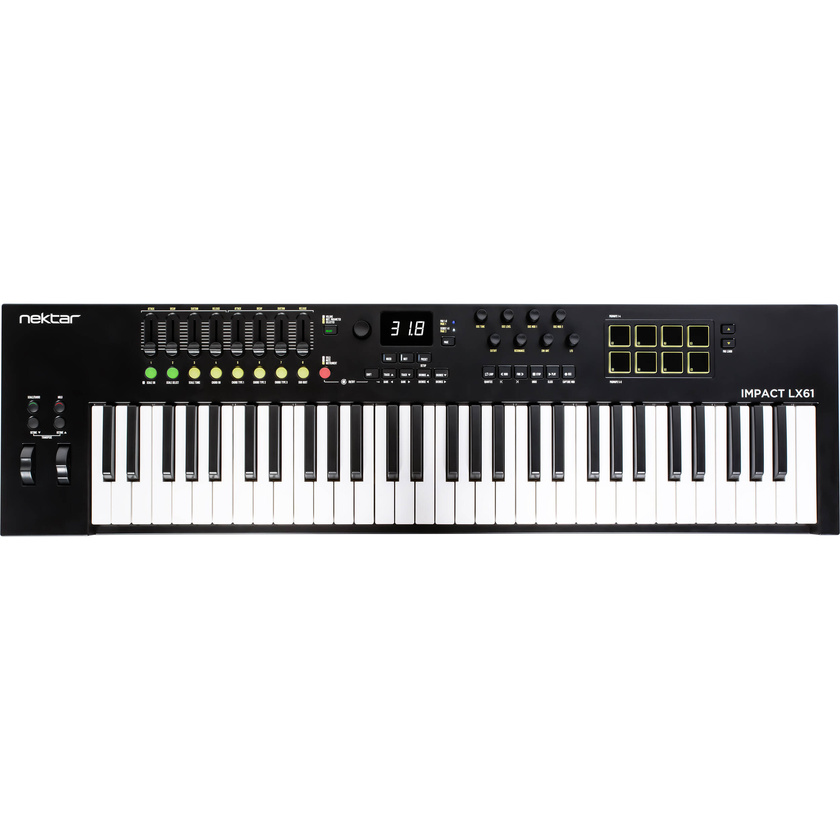
Engineered to provide a customized, DAW-integrated workflow that enhances both performance and production, the Nektar Technology Impact LX61 mk3 USB MIDI Controller Keyboard with a reengineered keybed that offers expressive, clean action with a refined velocity response, full-resolution encoders, and color LED buttons that support intuitive parameter control and DAW navigation.
Looper and Timeline Navigation
Designed to augment the power of supported DAWs, Impact LX mk3 includes unique timeline options enabling fast navigation, as well as loop creation, throughout a project. Activating loop record via the dedicated Impact LX mk3 looper button is a creativity boosting experience in a linear DAW. With loop recording complete, loop points are automatically set, perfectly truncated to the part, and then playback of the recording begins. Artists no longer need to decide the length of a loop before recording starts and can move on to immediately overdub or record the next part more quickly.
Global Control
The large encoder is a global control that doesn't change operation when Mixer, Instrument, or Preset modes are selected. With Nektar DAW integration, the associated button toggles 3 encoder states: Channel volume, Cutoff (instrument), Selected parameter. The Selected parameter enables control of any DAW or plug-in parameter by simply clicking to select, then control. With multiple plug-in windows open, it’s a gratifying tactile control experience when moving from instrument to effect parameters.
NKS Support
Native Instruments developed the Native Kontrol Standard (NKS), which is supported by thousands of plug-ins including the entire NI Komplete Select package, which is now part of the Impact LX mk3 software bundle. Navigating presets, plug-ins and control pages can all be done from Impact LX mk3, with the 8 encoders dedicated to page parameter control. Working alongside Nektar DAW integration, Impact LX mk3 automatically switches to NKS control whenever it’s detected, when selecting a track. The experience can be augmented by combining NKS with the global encoder's selected parameter feature and with Nektar's grab mode controlling other parameters using the faders.
Pads: Mapped to Drums and Percussion Plug-Ins
Press Mixer, and the eight pots are assigned to control the eight channels of your DAW's mixer. The alternate Bank up/down function moves control assignments to the next or previous group of eight channels. Press the Mixer button, and they switch to control panning. The fader is assigned to the currently selected channel so you always know where to find it. The pads also have alternate functions and can control muting for the current bank.
